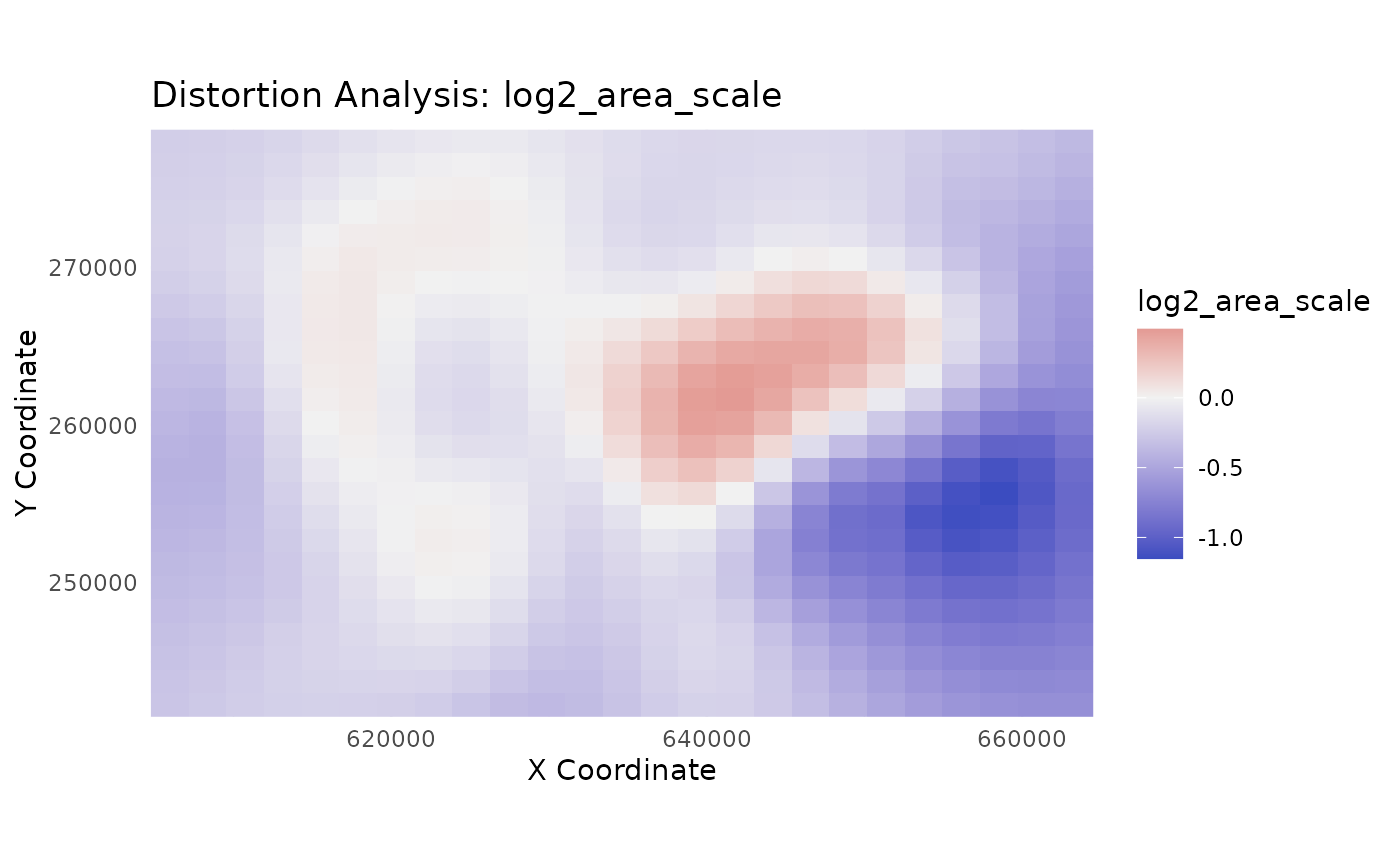
Creates a visualization of a continuous distortion metric from
the output of analyze_distortion().
Usage
plot_distortion_surface(
  distortion_sf,
  metric,
  gcp_data = NULL,
  palette = "viridis",
  diverging = FALSE,
  value_range = NULL
)
Arguments
- distortion_sf
An
sfobject of points returned byanalyze_distortion().- metric
A character string specifying the name of the metric column to plot. Must be one of "a", "b", "area_scale", "log2_area_scale", "max_shear", "max_angular_distortion", "airy_kavrayskiy", or "theta_a".
- gcp_data
An optional
sfobject of the original GCPs to overlay on the plot for context.- palette
A character string specifying the name of a viridis color palette (e.g., "viridis", "magma", "cividis"), used when
diverging=FALSE.- diverging
A logical value. If
TRUE, a diverging color scale is used, which is ideal for metrics likearea_scaleorlog2_area_scale.- value_range
A numeric vector of length 2 specifying the limits for the color scale (e.g.,
c(0, 1)). Defaults toNULL, which uses the data's range.
Details
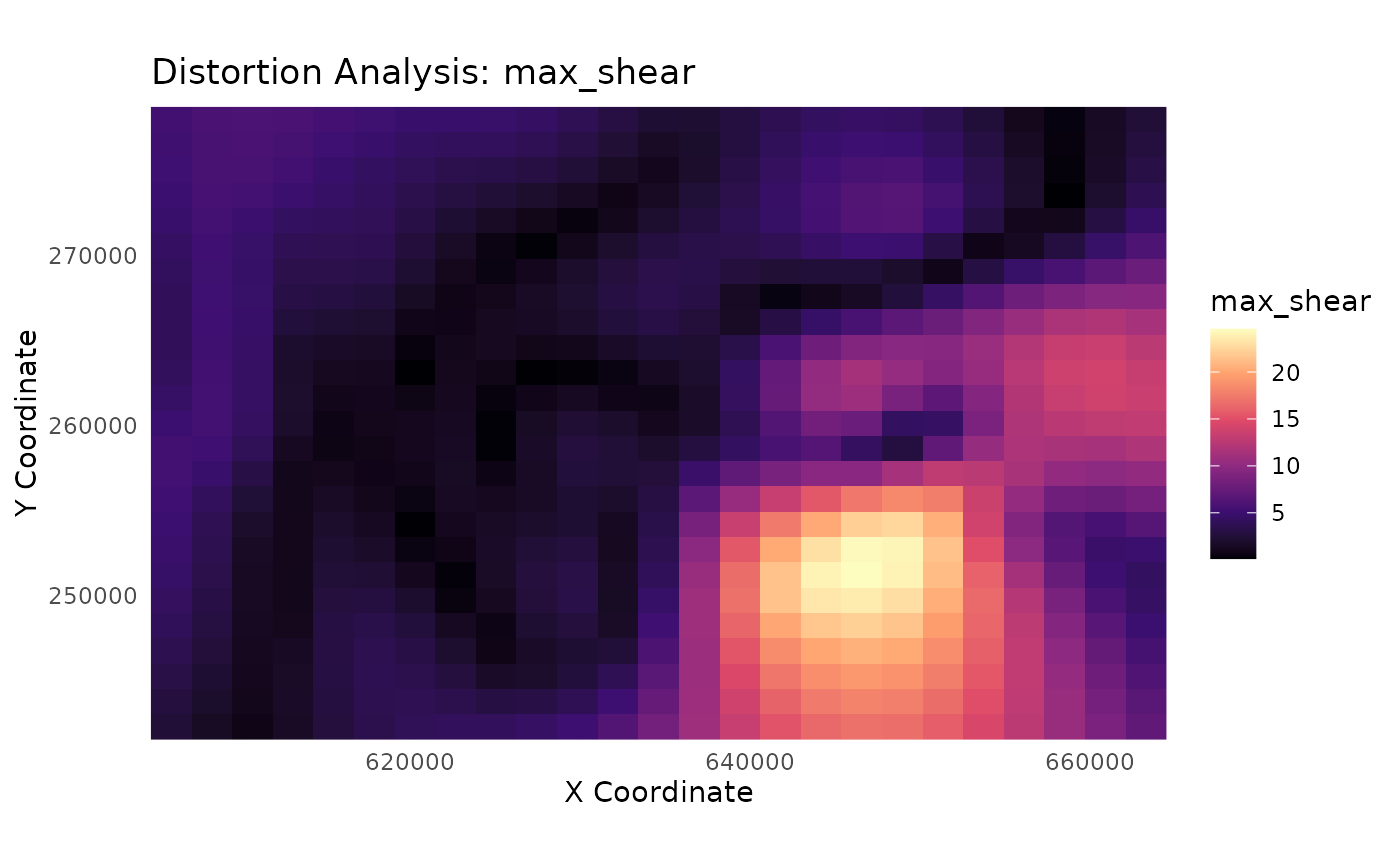
This function visualizes the distortion field as it exists on the source map's coordinate space. This allows for a direct visual correlation between features on the original map and the calculated distortion metrics.
For points on a regular grid (recommended): It creates a rasterized surface plot using
geom_raster(), which is ideal for visualizing continuous distortion surfaces. To create a regular grid, use the pattern:sf::st_make_grid(...) %>% sf::st_centroid() %>% sf::st_sf().For scattered, irregular points (like the original GCPs): It creates a point plot where each point is colored by its metric value. This avoids memory errors and still provides a useful diagnostic plot, along with a message recommending the use of a grid for a true surface plot.
Interpreting Plots by Model Type
The visual output will depend on the model used to generate the
distortion_sf data:
gamortpsmodel data: Will produce a smooth, continuous surface withcspatially varying colors, which is highly informative. This is the idealcmodel for this function.helmertorlmmodel data: Will produce a plot with a single, uniform color, as the underlying distortion metrics are constant across the map.rfmodel data: Will produce a plot indicating an Identity transformation (area_scale= 1,max_shear= 0). While RF might be an excellent correction tool, this analysis is not informative for it.
You may see a benign warning from ggplot2 about "uneven horizontal
intervals." This is caused by minor floating-point inaccuracies in the grid
coordinates and can be safely ignored; the plot is still accurate.
Examples
# --- 1. Train a GAM model for the best visual results ---
library(magrittr)
data(swiss_cps)
gam_model <- train_pai_model(swiss_cps, pai_method = "gam")
#> Training 'gam' model...
# --- 2. Create a regular grid of POINTS for analysis ---
analysis_points <- sf::st_make_grid(swiss_cps, n = c(25, 25)) %>%
sf::st_centroid() %>%
sf::st_sf()
distortion_on_grid <- analyze_distortion(gam_model, analysis_points)
#> Calculating distortion metrics for gam model...
#> Finalizing metrics from derivatives...
#> Distortion analysis complete.
# --- 3. Plot a metric using a standard sequential scale ---
plot_distortion_surface(
distortion_on_grid,
metric = "max_shear",
palette = "magma"
)
#> Regular grid detected. Creating a surface plot with geom_raster().
#> Warning: Raster pixels are placed at uneven horizontal intervals and will be shifted
#> ℹ Consider using `geom_tile()` instead.
#> Warning: Raster pixels are placed at uneven horizontal intervals and will be shifted
#> ℹ Consider using `geom_tile()` instead.
 # --- 4. Plot a metric with a custom range ---
plot_distortion_surface(
distortion_on_grid,
metric = "max_shear",
value_range = c(0, 45),
palette = "magma"
)
#> Regular grid detected. Creating a surface plot with geom_raster().
#> Warning: Raster pixels are placed at uneven horizontal intervals and will be shifted
#> ℹ Consider using `geom_tile()` instead.
#> Warning: Raster pixels are placed at uneven horizontal intervals and will be shifted
#> ℹ Consider using `geom_tile()` instead.
# --- 4. Plot a metric with a custom range ---
plot_distortion_surface(
distortion_on_grid,
metric = "max_shear",
value_range = c(0, 45),
palette = "magma"
)
#> Regular grid detected. Creating a surface plot with geom_raster().
#> Warning: Raster pixels are placed at uneven horizontal intervals and will be shifted
#> ℹ Consider using `geom_tile()` instead.
#> Warning: Raster pixels are placed at uneven horizontal intervals and will be shifted
#> ℹ Consider using `geom_tile()` instead.